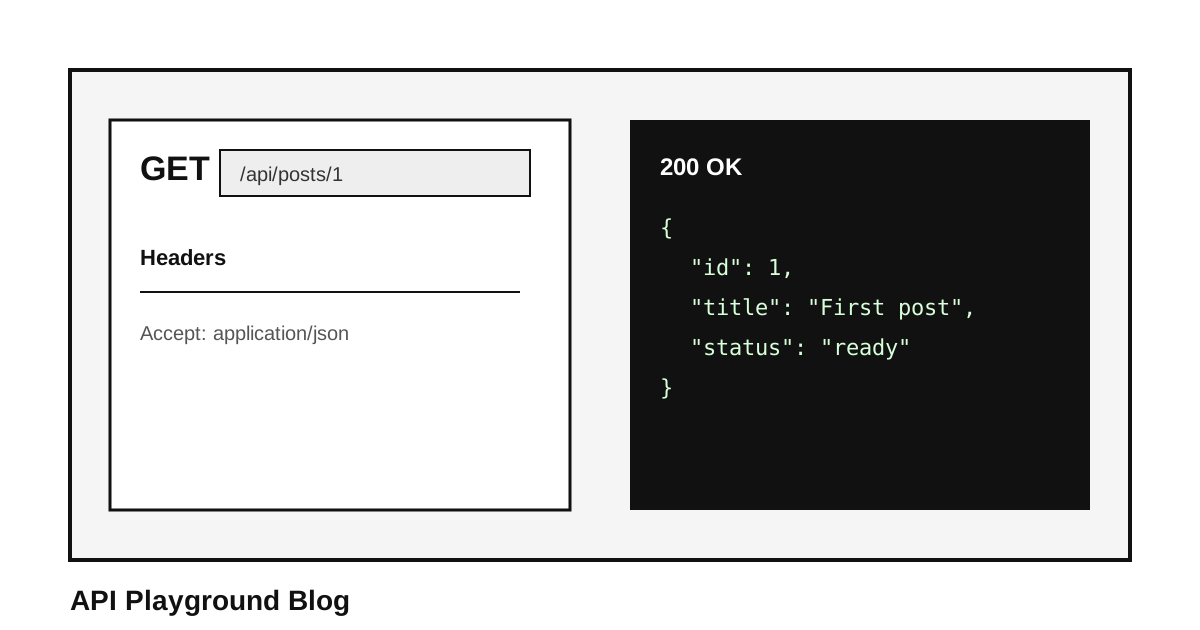
How to Test an API in Under 5 Seconds
A practical guide to testing API endpoints in the browser without installing Postman or creating an account.
Published June 10, 2026
#The Problem Nobody Talks About Out Loud
Here's the thing about Postman: it's a genuinely powerful tool. Nobody's denying that. But power has a cost, and that cost is complexity. What started as a scrappy Chrome extension that let you fire off HTTP requests in seconds has slowly become a full-blown collaboration platform with workspaces, teams, licensing tiers, and a login wall that greets you before you've even opened a collection.
For a senior engineer who lives inside Postman all day, that overhead is invisible. They've already climbed the hill. But for a beginner developer just trying to confirm that an endpoint returns the right JSON, or a QA engineer checking one quick route before a deployment, or a freelancer who just wants to prove their integration works, the setup friction is real.
#What Browser-Based API Testing Changes
There's a quiet assumption baked into a lot of developer tooling: serious work requires serious infrastructure. Heavy IDE, locally installed clients, version-controlled config files. And maybe that's true for some workflows.
But testing an API endpoint is usually simpler. You are crafting an HTTP request, sending it somewhere, and reading the response. That's the core job.
#How to Test an API Online
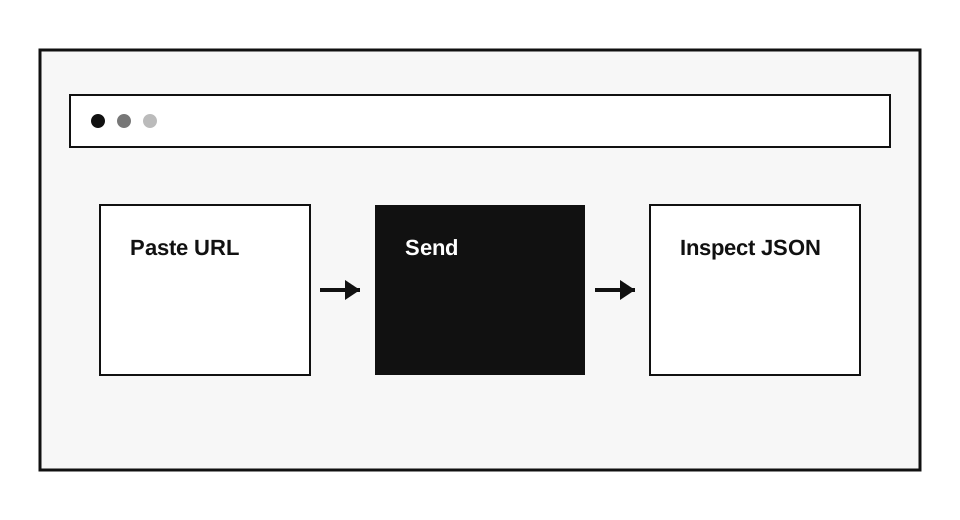
Here's the actual process:
- Open your browser.
- Go to API Playground.
- Paste your API endpoint URL into the request bar.
- Choose the HTTP method your endpoint expects.
- Add headers or a request body if needed.
- Hit send and inspect the status, headers, and body.
GET /posts/1 HTTP/1.1
Host: jsonplaceholder.typicode.com
Accept: application/json
That's the whole thing. From browser open to API response inspection, most people are done in under five seconds on a simple GET. Even a POST with a JSON body only takes a minute if you know what you're sending.
#Where This Matters
#You're onboarding onto a new project
You've just been handed API documentation and told to get familiar with it. You don't have a Postman workspace set up, you don't have the team's environment variables exported, and your machine might be running a different OS than whoever set this all up.
#You're debugging a client's integration
A client says their API calls are failing. You're on a video call, screen sharing. You don't want to pause and walk them through importing a collection. You want to type the endpoint, send the request, and show them the error response live.
#You're teaching someone APIs for the first time
When someone is learning REST APIs for the first time, the last thing you want to do is bury them in tooling before they've understood the concept. Let them see the request. Let them see the response.
#Why Visual Responses Help
Some developers will say: just use cURL. And they're not wrong. cURL is outstanding for people comfortable at the command line. But it has its own learning curve, and it doesn't give you a structured visual response.
#Who This Is For
- Beginner developers learning REST APIs for the first time
- Freelancers and contractors jumping between client projects
- QA engineers validating endpoints before or after a release
- Backend developers checking their own work during development
- Anyone who's been sent an API endpoint and needs to know if it works
#The Simplest Tools Are Often the Most Honest
The best developer tools are the ones that do not ask anything of you before they give you something useful. They earn your trust immediately. They respect your time from the first second.
That's what a good, fast, free online API tester is. Not a replacement for Postman when you need Postman's full power. But an honest, zero-friction companion for the moments when you just need to test an API and move on with your day.
#Related Guides
If this guide helped you get started, these articles cover the next steps in your API testing workflow:
- [Best Postman Alternative for Developers](/blog/best-postman-alternative-for-developers) — See how API Playground compares to Postman, Bruno, Insomnia, and Thunder Client side by side. If you're tired of Postman's sign-in walls and RAM usage, this is your full switching guide.
- [AI Agent API Testing Guide](/blog/ai-agent-api-testing-guide) — Once you've sent your first request, learn how to use the built-in GPT-4o AI Agent to auto-build complex requests and debug 401, 403, and 422 errors without manual trial and error.
- [How to Debug a Broken API Response in 3 Steps](/blog/how-to-debug-a-broken-api-response-in-3-steps) — When your request returns an unexpected status code, this guide walks you through a systematic approach to diagnosing the problem using response headers, payloads, and AI-powered fix hints.
- [How to Test a Gemini API Key Without Writing Code](/blog/how-to-test-gemini-api-key-response-without-writing-a-single-line-of-code-in-under-1-minute) — A practical walkthrough for verifying a Google Gemini API key directly in the browser, with no terminal or scripts required.