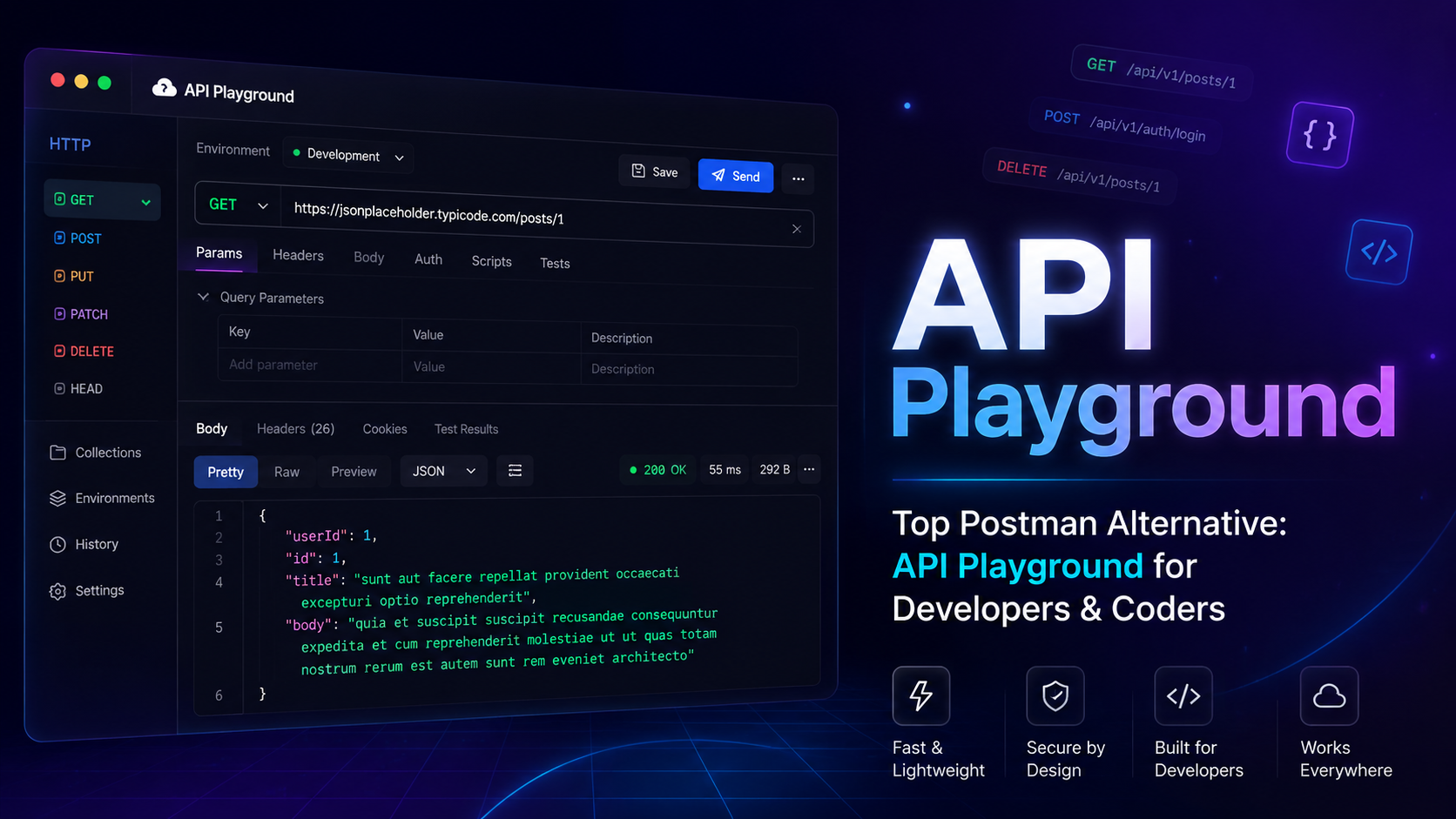
Top Postman Alternative: API Playground for Developers & Coders
Tired of Postman's bloat, paywalls, and web app sign-in friction? Discover why API Playground is the top Postman alternative for developers and coders — browser-based, lightweight, and completely free.
Published June 11, 2026 · Updated June 12, 2026
Try API Playground Free → playgroundapi.com — No download. No sign-up. Just test APIs instantly in your browser.
#Quick Verdict (TL;DR)
| What still works | Postman for enterprise teams needing shared workspaces and advanced mocking |
| What is dead on arrival | Postman's web/cloud workflow for quick one-off testing — sign-in, workspaces, and sync limits add friction |
| Most effective combination | API Playground for day-to-day testing + Postman only if your team mandates it |
| Biggest risk | Vendor lock-in: your Postman collections, environments, and history are trapped in their cloud |
| Best for | Solo developers, freelancers, students, and teams who want fast, zero-friction API testing |
| Real cost | Postman Free: $0 (sign-in required, limited); Postman Team: $19/user/month billed annually — API Playground: Free |
| Is it free? | ✅ Yes — API Playground is fully free, no account required |
#Key Insights
- Postman's cloud-first workflow has made many developers reconsider whether they need a heavier API platform for basic request testing.
- Developer frustration around pricing, sign-in requirements, and desktop-app bloat has pushed more teams to evaluate lightweight Postman alternatives.
- API Playground loads in a browser tab in under 1 second — no Electron app, no gigabytes of RAM consumed.
- REST API testing doesn't need a 200MB desktop app. Most real-world API calls require just a URL, method, headers, and a body.
- Browser-based tools eliminate the "works on my machine" problem for onboarding — just share a link.
#1. Why Developers Are Leaving Postman
Postman was the undisputed king of API testing for nearly a decade. If you tested REST APIs in 2017, you probably lived in Postman. But somewhere between version 7 and the current cloud-first, AI-upsell-everywhere product, something changed.
#The Sign-In Friction Backlash
Postman can run in the browser, but the web app and cloud workspace model still introduce account and workspace steps before many developers get to the request they wanted to send. Postman also documents desktop and agent options for broader access, which is useful, but it makes the product feel heavier when the job is a one-off API check.
*"I just need to send a POST request. I do not need to create an account, agree to a ToS, and have my request history synced to a server I don't control."* — A representative complaint from developers discussing account and workspace friction
This single decision sent hundreds of thousands of developers searching for alternatives.
#The Bloat Problem
The modern Postman app is an Electron application — essentially a full Chromium browser running your API client on top of Node.js. On a MacBook, it routinely consumes 400–800MB of RAM just sitting idle. On Windows, it occasionally requires manual kills to fully close.
For a tool whose job is to send HTTP requests, that's a grotesque amount of overhead.
#The Paywall Creep
Postman's free tier has quietly tightened over the years:
- Flows: Only available on paid plans
- API documentation hosting: Paid
- Mock servers: Severely limited on free
- Monitoring: Paid
- Increased collection run limits: Paid
What was once a generous free product now feels like a 30-day trial that never ends.
#2. What to Look for in a Postman Alternative
Before diving into the tools, let's be honest about what most developers actually need from an API client:
#Core Requirements
- Send HTTP requests — GET, POST, PUT, PATCH, DELETE, OPTIONS
- Set custom headers — Authorization, Content-Type, custom keys
- Send request bodies — JSON, form data, raw text, binary
- See full response details — status code, headers, body, latency
- Save and organise requests — collections or history
- Manage environments — switch between dev, staging, and production base URLs
#Nice-to-Have Features
- Code snippet generation (cURL, JavaScript fetch, Python requests)
- Response body formatting and syntax highlighting
- Authentication helpers (Bearer, Basic, API Key, OAuth)
- Import from OpenAPI / Swagger specs
- Shareable request links
#Deal-Breakers to Avoid
- Mandatory account sign-in
- Storing your requests on someone else's server without control
- Slow launch times and heavy memory usage
- Paywalls on basic features
With that framework in mind, let's look at the best Postman alternatives in 2026.
#3. The Best Postman Alternatives for Developers
#3.1 API Playground — Best Overall
The short version: API Playground is a browser-based API client at playgroundapi.com. Open a tab. Test your API. Close it. Done.
No download. No account. No Electron.
#What Makes API Playground Different
Most "Postman alternatives" are still desktop apps — they swap Postman's bloat for a different kind of bloat. API Playground takes a fundamentally different approach: it lives in your browser.
This means:
- Works on any OS instantly — Windows, macOS, Linux, Chromebook. If it runs Chrome or Firefox, it runs API Playground.
- No install = no update hell — You're always on the latest version.
- No data leaves your machine by default — Requests are sent directly from your browser to your API server. API Playground's servers don't proxy your calls.
- Shareable sessions — Share a pre-filled request link with a colleague. They open it in their browser and see your exact request configuration instantly.
#Core Features
| Feature | Detail |
|---|---|
| HTTP Methods | GET, POST, PUT, PATCH, DELETE, OPTIONS, HEAD |
| Request Body | JSON, form-data, x-www-form-urlencoded, raw text, binary |
| Authentication | Bearer token, Basic Auth, API Key (header or query param) |
| Headers | Add, edit, and toggle any header |
| Response Viewer | Syntax-highlighted JSON, XML, HTML with collapsible nodes |
| History | Local request history, no account needed |
| Code Export | Generate cURL, fetch, axios, Python snippets |
| Environment Variables | Switch base URLs between dev, staging, prod |
| Collections | Save and organise requests |
#Who Should Use API Playground
✅ Solo developers who just need to hit an endpoint fast ✅ Freelancers who move between client projects and don't want to manage Postman workspaces ✅ Students learning REST APIs without friction ✅ Teams where not everyone is a heavy Postman user ✅ Anyone testing a third-party API before writing integration code
#Where API Playground Isn't the Best Fit
❌ Enterprises that need deep team collaboration, shared workspaces, and governance features ❌ QA engineers running thousands of automated test runs in CI/CD pipelines ❌ Teams that need advanced mock server functionality
#3.2 Bruno — Best Offline Desktop Alternative
Bruno is an open-source API client that stores collections as plain files on your filesystem — not in the cloud. This makes it Git-friendly by design.
Pros:
- ✅ Fully offline
- ✅ Collections are
.brufiles you can commit to your repo - ✅ No account, no sync
- ✅ Scripting support with JavaScript
Cons:
- ❌ Still a desktop install (Electron)
- ❌ No browser-based access
- ❌ Smaller ecosystem than Postman
Best for: Teams that want Postman's power but want collections version-controlled alongside their code.
#3.3 Hoppscotch — Best Open-Source Browser Alternative
Hoppscotch is the closest open-source equivalent to API Playground's browser-first approach. It's fast, clean, and supports WebSockets and GraphQL alongside REST.
Pros:
- ✅ Browser-based
- ✅ Open source (self-hostable)
- ✅ Supports REST, GraphQL, WebSocket, SSE
- ✅ Generous free tier
Cons:
- ❌ Account required for syncing across devices
- ❌ Advanced features (team workspaces, enterprise auth) are paid
- ❌ Self-hosting requires setup effort
Best for: Developers who need WebSocket and GraphQL testing alongside REST, and are comfortable with open-source tools.
#3.4 Thunder Client — Best VS Code Extension
If you live inside VS Code, Thunder Client is a lightweight API client built as a VS Code extension. You never leave your editor.
Pros:
- ✅ No separate app to install
- ✅ Collections stored as JSON files — Git-friendly
- ✅ Zero learning curve for VS Code users
- ✅ Free core version
Cons:
- ❌ Only works inside VS Code — not usable in a browser or terminal
- ❌ Advanced features now require Thunder Client Pro ($9/month)
- ❌ Heavy VS Code users only
Best for: Developers who want API testing without ever leaving their editor.
#3.5 Insomnia — Best Postman Feature Parity
Insomnia (by Kong) is the closest feature-for-feature Postman replacement. It has collections, environments, plugins, scripting, and even OpenAPI support.
Pros:
- ✅ Rich feature set — closest to Postman
- ✅ Local-first storage (optional cloud sync)
- ✅ Plugin ecosystem
- ✅ GraphQL and gRPC support
Cons:
- ❌ Still a desktop Electron app
- ❌ Kong's ownership raises concerns about the product direction
- ❌ Had its own controversial forced-login incident in 2023
- ❌ Heavier than lighter alternatives
Best for: Power users who need Postman-level features but want to avoid Postman's cloud ecosystem.
#4. Head-to-Head Comparison
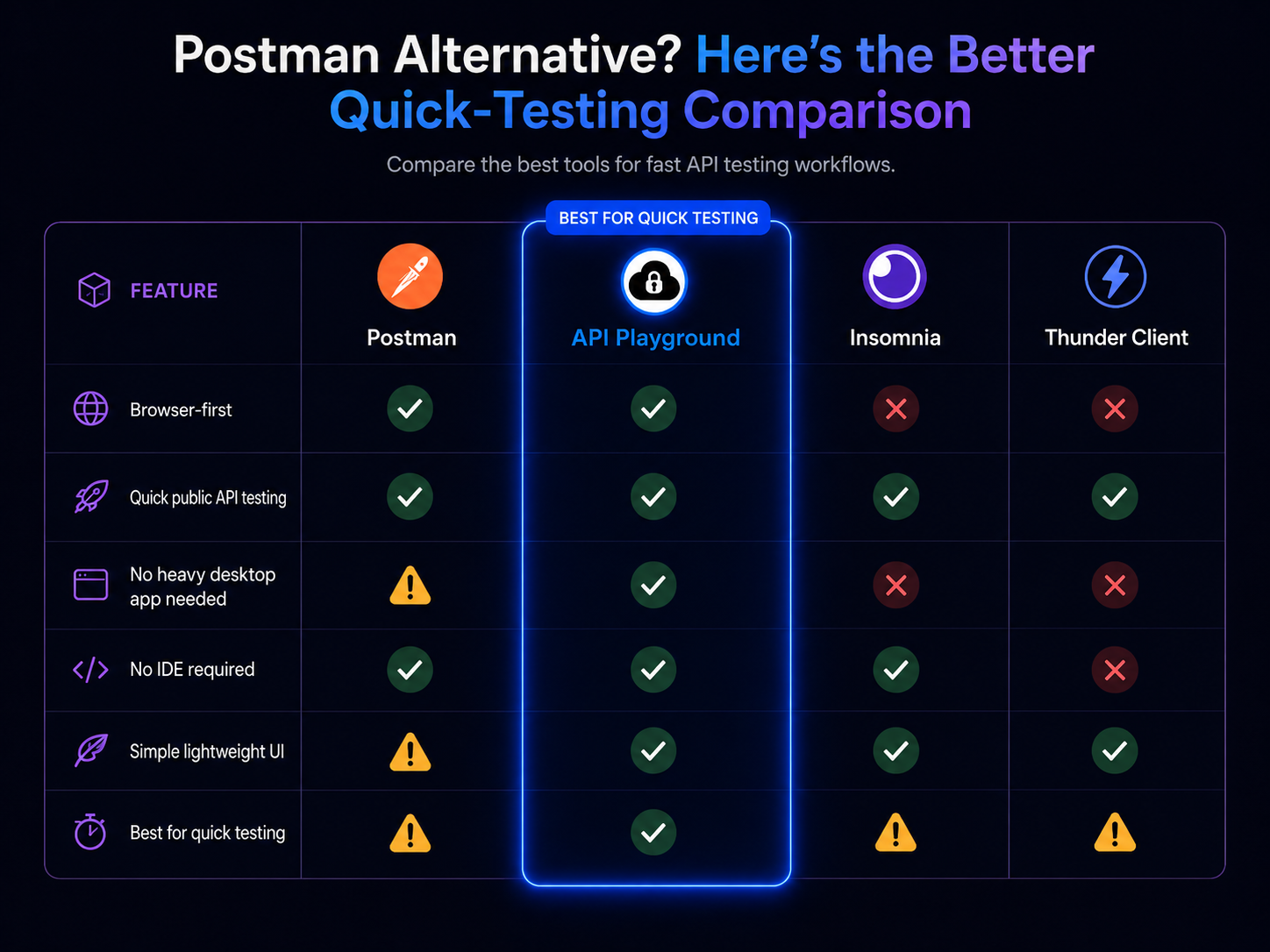
Last verified against official product documentation on June 12, 2026. Useful source pages: Postman web app and lightweight API client, Bruno docs, Hoppscotch docs, Insomnia docs, and Thunder Client docs.
| Criteria | API Playground | Postman | Bruno | Hoppscotch | Insomnia | Thunder Client |
|---|---|---|---|---|---|---|
| Browser-based | ✅ | ✅ Web app available | ❌ Desktop app | ✅ | ❌ Desktop app | ❌ Editor extension |
| No install required | ✅ | ✅ for web app; agent/app may be needed for some workflows | ❌ | ✅ for hosted web app | ❌ | ❌ |
| Account required | ❌ | ✅ for Postman web/cloud workspaces | ❌ | Optional for cloud sync/teams | Optional for local vault; required for cloud sync | ❌ for local extension use |
| Free to use | ✅ | Limited | ✅ | Limited | Limited | Limited |
| Collections | ✅ | ✅ | ✅ | ✅ | ✅ | ✅ |
| Environments | ✅ | ✅ | ✅ | ✅ | ✅ | ✅ |
| GraphQL | Manual HTTP support; dedicated UI planned | ✅ | ✅ | ✅ | ✅ | Not confirmed in official docs |
| WebSocket | Planned | ✅ | ✅ | ✅ | Not confirmed in current official docs | Not confirmed in official docs |
| Git-friendly | Exportable collections | ✅ Native Git integration documented | ✅ File-based collections | ❌ Cloud/workspace oriented | Partial via Git Sync/project files | ✅ Local files/workspace storage |
| Install footprint | Browser tab | Web app or desktop app/agent | Desktop app | Browser tab or self-host | Desktop app | VS Code/compatible editor extension |
| Open source | ❌ | ❌ | ✅ | ✅ | ✅ | ❌ |
#5. Real-World Workflows with API Playground
Let's walk through the most common developer scenarios and how API Playground handles each one.
#Scenario 1: Testing a New Third-Party API
You've just signed up for a weather API and you need to verify your API key works before writing any integration code.
With Postman: Sign in to the web app or open the desktop app, create or choose a workspace, create a collection, add a request, set headers, then send.
With API Playground:
# What you're testing in the browser:
GET https://api.openweathermap.org/data/2.5/weather?q=London&appid=YOUR_API_KEY

# Headers:
# (none needed — key is in the query param)
Open playgroundapi.com, paste the URL, hit Send. You have a response in under 5 seconds from opening the tab. The JSON response is syntax-highlighted with collapsible nodes.
#Scenario 2: Authenticating with a Bearer Token
Your backend requires a JWT. You need to test a protected endpoint during development.
{
  "Authorization": "Bearer eyJhbGciOiJIUzI1NiIsInR5cCI6IkpXVCJ9...",
  "Content-Type": "application/json"
}
In API Playground, switch to the Auth tab, select Bearer Token, and paste your JWT. The Authorization header is automatically formatted and sent.
#Scenario 3: Sending a Complex POST Body
You're creating a new user record and need to send a JSON payload:
{
  "name": "Asim Ahmed",
  "email": "asim@example.com",
  "role": "developer",
  "preferences": {
    "theme": "dark",
    "notifications": true
  }
}
API Playground's JSON editor validates your JSON on the fly, highlights syntax errors before you even send, and formats the response so you can inspect nested objects cleanly.
#Scenario 4: Switching Between Dev and Production
Your dev server is at http://localhost:3000 and production is at https://api.myapp.com. Without environment variables, you're manually swapping URLs dozens of times a day.
API Playground's environment system lets you define:
| Variable | Dev Value | Prod Value |
|---|---|---|
{{baseUrl}} | http://localhost:3000 | https://api.myapp.com |
{{apiKey}} | dev_key_abc123 | prod_key_xyz789 |
Then your requests just use {{baseUrl}}/users — toggle the environment, and every request automatically updates.
#Scenario 5: Sharing a Request with a Teammate
In Postman, sharing means exporting a collection JSON, sending it via Slack, and hoping your colleague imports it correctly into their workspace.
With API Playground, you copy the shareable URL from the browser address bar. Your colleague opens it and sees your pre-filled request. No import. No workspace syncing.
#6. API Playground vs Postman: The Complete Breakdown
#Performance
| Metric | API Playground | Postman |
|---|---|---|
| Time to first request | ~3 seconds (browser tab) | 15–45 seconds (app launch) |
| RAM usage (idle) | ~50MB (browser tab) | 400–800MB |
| RAM usage (active) | ~80MB | 600MB–1.2GB |
| App size | 0MB (browser) | ~180MB download |
| Startup on cold boot | Instant | 20–40 seconds |
#Collaboration
| Scenario | API Playground | Postman |
|---|---|---|
| Share a single request | ✅ Share URL | ❌ Export + import collection |
| Team workspaces | 🔜 | ✅ (paid) |
| Git-based collections | ✅ Export as files | ❌ Cloud-locked |
| Onboard a new teammate | Share link, done | Set up account, workspace, invite |
#Privacy & Data Control
| Concern | API Playground | Postman |
|---|---|---|
| Where requests are sent | Direct browser → your API | Direct (local) or via Postman cloud |
| Request history storage | Local browser storage | Postman cloud (account-linked) |
| Sensitive credentials | Stay in your browser | Synced to Postman cloud |
| Account required | ❌ No | ✅ Yes (mandatory since 2023) |
#7. Migrating from Postman to API Playground
Moving from Postman doesn't have to be painful. Here's a practical migration checklist.
#Migration Checklist
| Step | Action | API Playground Support |
|---|---|---|
| 1. Export your collections | In Postman: File → Export → Collection v2.1 | ✅ Import supported |
| 2. Export environments | In Postman: Manage Environments → Export | ✅ Import supported |
| 3. Recreate saved requests | Paste URLs, headers, bodies | ✅ Manual or import |
| 4. Set up environments | Define {{variables}} | ✅ Built-in |
| 5. Update team bookmarks | Share new shareable request URLs | ✅ Shareable links |
| 6. Retire Postman | Uninstall the desktop app | Reclaim your RAM |
#What to Do With Your Postman Collection Files
Export your Postman collection as JSON, then import directly into API Playground. All your request URLs, headers, bodies, and folder structure carry over.
# Export from Postman:
# File → Export → Collection v2.1 JSON

# Then in API Playground:
# Import → Select your .json file
# All requests appear in your collections panel#8. Frequently Asked Questions
Is API Playground really free?
Yes. API Playground is free to use at playgroundapi.com with no account required. There is no trial period, no credit card, and no feature gating on the core API testing functionality.
Does API Playground store my API keys or tokens?
No. Your API keys, Bearer tokens, and credentials are stored only in your browser's local storage. They are never transmitted to API Playground's servers. Your requests go directly from your browser to your API endpoint.
Can I use API Playground with localhost / local development servers?
Yes. Because API Playground runs in your browser, it can reach http://localhost addresses just like any webpage can. There's no proxy or tunnel required.
Can I import my existing Postman collections?
Yes. API Playground supports importing Postman Collection v2.1 JSON files. Export from Postman and import directly.
Does API Playground support GraphQL?
GraphQL support is on the active roadmap. Currently, you can test GraphQL endpoints manually by sending POST requests with the appropriate application/json body and Content-Type header — which works for most GraphQL queries.
Is API Playground open source?
The API Playground web app is currently a hosted SaaS product. An open-source version or self-hosted option may be offered in the future.
What about WebSocket and SSE testing?
WebSocket and Server-Sent Events (SSE) support are planned features. For now, REST and HTTP/HTTPS are fully supported.
How does API Playground compare to curl?
curl is powerful but requires memorizing flags and offers no response formatting. API Playground gives you curl's directness with a visual interface. You can also export any request as a curl command with one click. ---
#9. The Future of API Testing
The broader trend in developer tooling is clear: zero-friction, browser-first, local-first. The days of installing 300MB Electron apps to do the work of a browser tab are numbered.
Postman built something genuinely great in a different era — when desktop apps were the norm, when cloud sync was magical, and when the free tier was actually generous. That era is over.
Modern developers expect tools that:
- Start instantly
- Require no account to try
- Respect their data
- Work across any device
- Cost nothing for the core workflow
API Playground is built for this reality.
#10. Conclusion & Verdict
If you're looking for the best Postman alternative in 2026, the answer depends on what you actually need:
| Your Situation | Best Tool |
|---|---|
| You want zero-friction browser testing | API Playground ✅ |
| You need Git-native collections | Bruno |
| You need GraphQL + WebSocket + REST | Hoppscotch |
| You live in VS Code | Thunder Client |
| You need Postman-level features without Postman | Insomnia |
| You manage a large enterprise API platform | Postman (begrudgingly) |
For the vast majority of developers — the solo builder, the freelancer, the startup engineer, the student — API Playground is the clear winner. It does everything you actually need, in a browser tab, for free, with no account required.
The bloat, the paywalls, and the web app sign-in friction aren't features. They're friction. API Playground removes all of it.
→ Try API Playground now at playgroundapi.com — no sign-up, no download, just open and test.
#Related Guides
- [How to Test an API in Under 5 Seconds](/blog/how-to-test-api-in-under-5-seconds) — New to API testing? Start here. This beginner-friendly guide walks through sending your first HTTP request in a browser in under five seconds, with zero installation.
- [AI Agent API Testing Guide](/blog/ai-agent-api-testing-guide) — Take API testing further with the built-in GPT-4o AI Agent. Learn how to auto-build requests, debug cryptic 401 and 422 errors, and run multi-step OAuth flows without manual copy-pasting.
- [How to Debug a Broken API Response in 3 Steps](/blog/how-to-debug-a-broken-api-response-in-3-steps) — A systematic approach to diagnosing broken API responses using status codes, headers, payloads, and AI-powered hints — without Postman's complexity.
- [How to Test a Gemini API Key Without Writing Code](/blog/how-to-test-gemini-api-key-response-without-writing-a-single-line-of-code-in-under-1-minute) — Already testing AI APIs? This guide shows how to verify a Google Gemini API key directly in your browser in under 60 seconds.